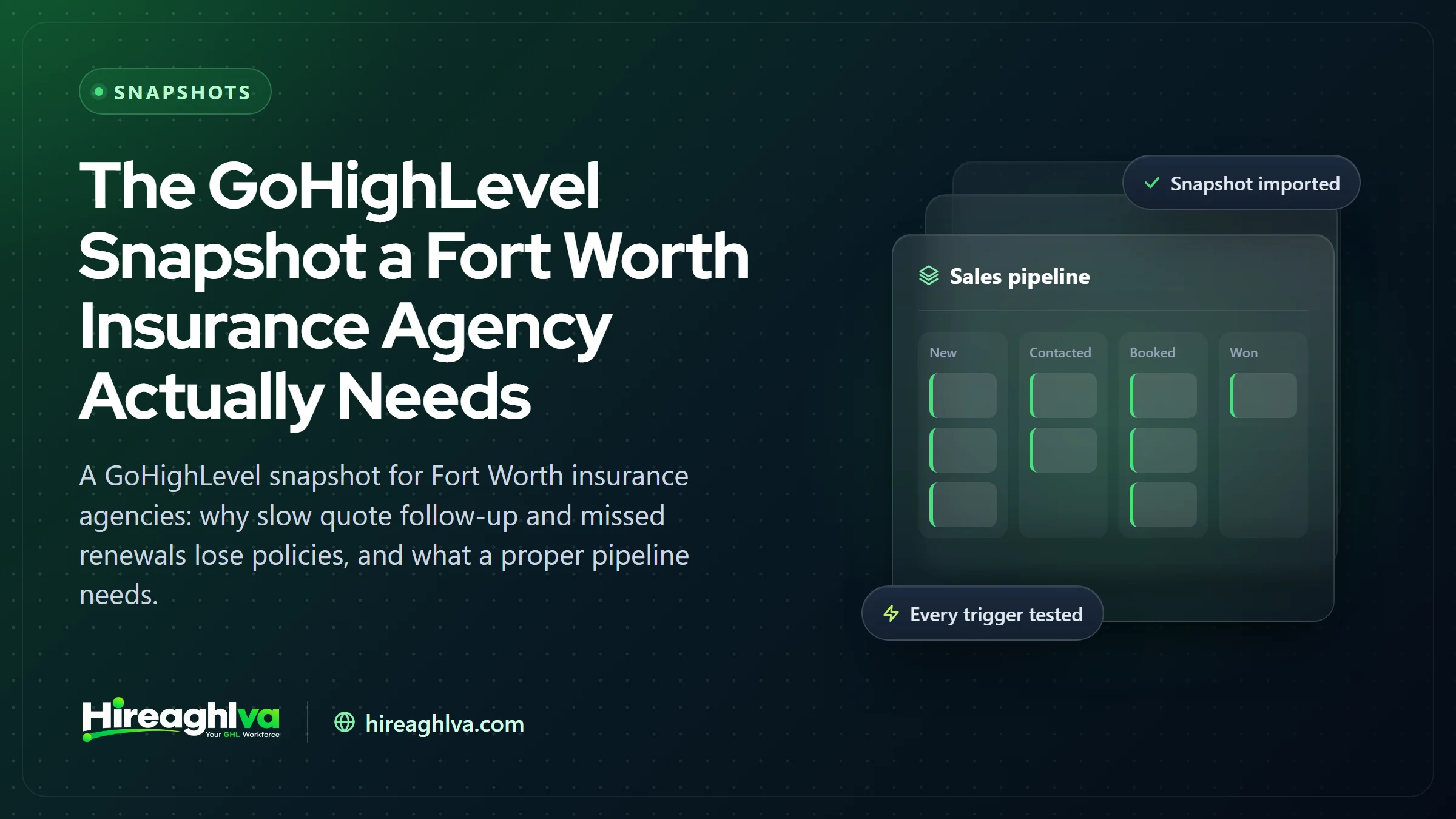
A Fort Worth insurance agency competing in one of the busiest local-service markets in the Southwest doesn’t lose policies because of price — it loses them to whichever agency actually called back first. The average lead response time in insurance is roughly 47 hours, while the first agent to respond closes about 78% of deals. A GoHighLevel snapshot fixes both ends of the relationship: fast follow-up on new quotes, and consistent reminders that keep existing policies from lapsing.
In plain numbers: Industry lead-response research commonly puts the average insurance lead response time at well over a day, with estimates in the 40-47 hour range, and the figure that the first agent to respond wins roughly 78% of deals shows up repeatedly across insurance lead-generation studies, though it’s a widely repeated industry benchmark rather than a single definitive study. Separately, J.D. Power’s 2026 U.S. Insurance Shopping Study found that auto insurance shoppers now get a record average of 3.5 quotes per shopping trip — meaning most quote requests are being actively compared against several competitors at once.
Here’s the two-sided problem a snapshot needs to solve: new quote requests need speed, or they go to whichever agency responded first. Existing policies need consistency, or they quietly lapse at renewal because nobody automated the reminder.
What is a GoHighLevel snapshot, exactly?
Before getting into what belongs inside an insurance one, it’s worth being precise about what the word “snapshot” actually means, because it gets used loosely. A GoHighLevel snapshot is an exportable copy of an entire sub-account — every pipeline and its stages, every workflow and automation, every funnel and landing page, the calendar setup, the custom fields and tags, and the email and SMS templates — bundled into a single file (or a marketplace listing) that can be imported into a new or existing GoHighLevel account in minutes. It’s the difference between starting from a blank sub-account with nothing configured, and starting from a sub-account that already has a shape to it.
That matters because a blank GoHighLevel account is genuinely just a blank canvas. Pipelines, automations, and funnels don’t exist until someone builds them, and building a full insurance-agency setup from scratch — coverage-specific pipelines, renewal logic, cross-sell triggers, branded funnels, tested SMS and email sequences — is realistically weeks of configuration work even for someone who already knows the platform well. A snapshot collapses that into an import step, followed by a customization pass to fit the specific agency.
Snapshots exist on a spectrum. At one end is GoHighLevel’s own blank default sub-account — no snapshot at all. In the middle are generic snapshots, built for no niche in particular, that mostly save time on basic account structure without doing much thinking for you. At the other end are niche-specific snapshots — built around how a particular industry actually operates — which is where an insurance agency snapshot sits: pipelines already shaped around coverage types, automations already written around renewal cycles and cross-sell moments, rather than a generic “new lead → sale” structure that happens to have an insurance logo on it.
It’s also worth knowing where snapshots come from in practice. Many originated as an internal tool GoHighLevel agency partners used to standardize setup across client accounts — build it once, deploy it to every new client instead of reconfiguring from zero each time. That same mechanism now powers a broader snapshot marketplace, where individual builders and agencies sell niche-specific snapshots directly, insurance included, at a wide range of price points and a wider range of actual quality. For a deeper look at how the mechanics and marketplace both work, see our fuller breakdowns on how GoHighLevel snapshots work and navigating the snapshot marketplace — this post focuses specifically on what belongs in one built for an insurance agency, and how that plays out for a Fort Worth-area book of business.
Why this matters especially in Fort Worth
Fort Worth is a fast-growing Texas metro with strong demand for local service providers, which raises the stakes on both ends:
- A steady flow of new residents needing new policies. New-to-Fort-Worth homeowners and drivers are comparing several agencies at once, with zero existing loyalty.
- A competitive agency market. Independent agencies, captive agents, and online insurers are all competing for the same quote requests.
- Growth outpacing manual renewal tracking. An agency scaling its book of business quickly can’t reliably track renewal dates by memory or spreadsheet once client counts grow past a few dozen.
Fort Worth and Tarrant County, in plain facts
A lot of “why this city is different” sections in local content are filler — generic growth talk that would read the same with any city’s name swapped in. Fort Worth’s situation has a few specifics worth spelling out, because they’re durable facts about the market rather than a ranking that reshuffles every year.
Fort Worth has been one of the fastest-growing large cities in the country for most of the last decade, and the broader Dallas–Fort Worth metroplex is consistently near the top of the list for raw population growth among U.S. metros — adding well over 100,000 residents most years, with the DFW metro area’s combined population now well past 8 million. Fort Worth itself has grown past the 1-million-resident mark, putting it among the ten largest cities in the country. For a local insurance agency, that growth isn’t an abstract economic indicator — every new household moving into the metro needs an auto policy almost immediately, and a homeowners or renters policy soon after, with no existing relationship to any agency in town. That’s the same new-shopper dynamic that drives response-speed competition everywhere, just arriving at unusually high volume in Fort Worth.
Texas also carries a specific exposure that most other large states don’t share to the same degree: it’s consistently ranked among the states with the highest rates of uninsured drivers in the country, and a meaningful share of the drivers who are insured carry only the state-minimum liability limits, which is its own form of being functionally underinsured in a serious accident. For a Fort Worth agency, that shows up in two concrete ways — it’s a driver of ongoing auto-insurance shopping and switching behavior generally, and it’s a direct, specific reason to have uninsured/underinsured motorist coverage as a standing part of every auto-policy conversation and renewal review, not an upsell mentioned once and forgotten. A cross-sell and account-rounding workflow that never checks UM/UIM limits is skipping one of the more consequential coverage gaps a Texas agent can catch.
On the property side, North Texas — Tarrant County included — sits in one of the most hail-prone corridors in the entire country. Large, damaging hailstorms are a recurring feature of the region’s spring and early-summer weather, not a rare event: a widely reported hailstorm in March 2016 alone generated insured losses estimated at roughly $600 million across Tarrant County, part of what became one of the costliest years for hail damage in Texas history, and North Texas continues to register among the highest frequencies of large-hail days of anywhere in the U.S. in most years since. That pattern matters for renewal behavior specifically: a hail season that produces a wave of roof and vehicle claims is reliably followed by a wave of premium increases and non-renewals at the carrier level, which in turn produces a wave of homeowners actively re-shopping their coverage — exactly the moment a renewal-reminder and retention workflow needs to be working, not the moment to discover it was never finished.
Every agent and agency operating in Fort Worth, regardless of which carriers they represent, answers to the same regulator: the Texas Department of Insurance (TDI), which licenses and regulates insurance agents and adjusters statewide and operates a consumer complaint line that fields issues against both carriers and agencies. That’s the same regulatory backdrop behind why renewal-reminder and review-request automations need careful, honest wording — a reminder that implies coverage when none exists yet, or a review request timed right after a denied claim, isn’t just a bad customer experience, it’s the kind of thing that generates exactly the complaints TDI exists to field.
Put together: a growing population with no existing agency loyalty, a state-level uninsured/underinsured exposure that keeps auto coverage conversations relevant, and a property-risk profile that reliably drives renewal-season shopping after bad weather years — all of which means a Fort Worth agency’s snapshot needs to take new-quote speed, coverage-gap conversations, and renewal retention all seriously at once, rather than treating any one of the three as the whole problem.
~47 hrs
Average industry lead response time
78%
Of deals go to whichever agent responds first
3.5
Average number of quotes a shopper gets
| Item | Value |
|---|---|
| Live transfer — high end | 25% |
| Live transfer — low end | 15% |
| Exclusive web lead — high end | 15% |
| Exclusive web lead — low end | 8% |
| Aged lead — high end | 5% |
| Aged lead — low end | 2% |
Source: Industry-reported insurance lead conversion benchmarks, 2026 (vendor-compiled, directional)
These are broad insurance-industry figures, not a Fort Worth-specific study — treat the exact numbers as directional. The consistent pattern: lead type and response speed together explain most of the conversion gap between agencies.
What should an insurance snapshot actually include?
What an insurance GoHighLevel snapshot should automate
| Piece | What it does | Why it matters |
|---|---|---|
| Coverage-specific quote pipeline | Routes auto, home, life, and business quotes separately | Each needs different follow-up and often a different agent |
| Policy renewal reminders | Automatic outreach before a policy lapses | Prevents quiet churn and a compliance gap for the client |
| Cross-sell & referral automation | Flags coverage gaps and referral opportunities | Turns an existing client relationship into more policies |
| Speed-to-lead on new quotes | Instant acknowledgment the moment a request comes in | The single biggest lever in who wins a new policy |
What’s actually inside a Fort Worth insurance agency snapshot
“Automates quotes and renewals” is accurate but vague enough to mean almost anything. Here’s what each piece actually does, mechanically, and what has to happen to it before it’s trustworthy with real client data.
1. The coverage-type-routed quote pipeline
Instead of one “New Lead” pipeline that every quote request lands in regardless of what someone’s asking for, the snapshot ships with separate pipelines (or separate branches of one pipeline, depending on build preference) for auto, home, life, and business coverage. A new quote request is tagged by coverage type the moment it comes in — usually from the form field or landing page it came through — and routed into the matching pipeline stage automatically. That routing is what lets everything downstream behave differently: auto gets the fastest, tightest follow-up deadline because it’s the highest-volume, fastest-decision line; home checks for a mortgage-closing date and escalates immediately if one exists; life routes toward booking a needs-analysis conversation instead of forcing a same-day quote; business checks for an in-house specialist before falling back to a generalist. A single blended pipeline can’t represent any of that — it’s one lane with four very different kinds of traffic running through it.
2. Renewal-reminder automation
This is the piece that protects the book of business the agency already has, and it runs on a timed cadence rather than a single reminder. A typical build fires a sequence starting 45–60 days before a policy’s renewal date, with follow-ups at 30, 14, and 7 days out, stepping up in urgency and switching from email to SMS as the date gets closer. Each touch is an opportunity to also prompt a quick coverage review rather than a pure renewal notice — which is where the renewal sequence and the cross-sell workflow below actually share data. If a client doesn’t respond or confirm by a set point before the renewal date, the workflow creates a task for the assigned agent to call directly, rather than letting the policy lapse silently because an automated text went unanswered. Getting the wording right here matters more than it might seem — a reminder needs to be clear that it’s a reminder, not a confirmation that coverage has already been renewed.
3. Cross-sell and account-rounding workflows
This is the automation layer behind what the insurance industry calls account rounding — systematically closing coverage gaps in an existing client’s policies rather than leaving it to come up by chance. The snapshot tags each contact with what coverage they currently hold, then runs periodic checks: an auto-only client gets flagged as a homeowners-quote candidate if a home-purchase signal shows up (a change-of-address update, for instance); a home-only client gets flagged for an auto quote; any client without an umbrella policy above a certain asset or liability threshold gets flagged for that conversation; and, specific to Texas, every auto client’s file gets checked for adequate uninsured/underinsured motorist limits given the state’s above-average uninsured-driver exposure. A flagged gap triggers a tactful, non-pushy outreach message and creates an agent task — the automation surfaces the opportunity and starts the conversation; closing it is still a licensed agent’s job.
4. Review-request automation
Reputation compounds slowly and matters disproportionately for a business built on trust and referrals. The snapshot includes a trigger that fires a set number of days after a policy is bound or a claim is resolved — timing matters here specifically, since asking for a review the day after a denied claim or a frustrating renewal experience will reliably produce a bad one. A well-built sequence routes the request through an internal gate first: a quick “how did we do?” check that sends happy responses toward a public Google review link and routes anything less than enthusiastic to an internal feedback form instead, so a frustrated client’s first stop is a person who can actually help, not a public review.
5. How it actually gets installed and customized
None of the above works out of the box the moment it’s imported — and treating it as though it does is the single biggest reason a snapshot underperforms. A proper install runs through a specific sequence: import the snapshot into the agency’s own GoHighLevel sub-account; remap the agency’s existing contact data, custom fields, and tags onto the snapshot’s structure (an agency migrating off an old AMS or a different CRM usually has field names and data formats that don’t match the snapshot’s defaults without this step); connect and register a compliant A2P 10DLC phone number so the SMS automations are actually allowed to send, not just configured to; replace every placeholder funnel, email header, and text snippet with the agency’s actual branding, licensing details, and carrier information; and then manually test-fire every single automation — the renewal sequence, the cross-sell triggers, the review-request flow, all four coverage pipelines — with dummy leads before anything touches a real client. That whole process is what typically fills the 48–72 hours mentioned earlier: the snapshot itself imports in minutes, and the remaining time is remapping, branding, and testing.
Build it yourself, grab a free one, or get it done right
Time to a live pipeline
- Build from scratch
- Weeks of build time
- Free or marketplace snapshot
- Minutes to import, days to fix
- Hireaghlva insurance snapshot
- 48–72h, installed and tested
Coverage-specific routing
- Build from scratch
- Only if you build it
- Free or marketplace snapshot
- Usually generic
- Hireaghlva insurance snapshot
Renewal reminder automation
- Build from scratch
- If nothing gets missed
- Free or marketplace snapshot
- Rarely
- Hireaghlva insurance snapshot
Every automation test-fired before use
- Build from scratch
- Rarely
- Free or marketplace snapshot
- Hireaghlva insurance snapshot
Branded to your agency
- Build from scratch
- Free or marketplace snapshot
- You do it yourself
- Hireaghlva insurance snapshot
| Build from scratch | Free or marketplace snapshot | Hireaghlva insurance snapshot | |
|---|---|---|---|
| Time to a live pipeline | Weeks of build time | Minutes to import, days to fix | 48–72h, installed and tested |
| Coverage-specific routing | Only if you build it | Usually generic | |
| Renewal reminder automation | If nothing gets missed | Rarely | |
| Every automation test-fired before use | Rarely | ||
| Branded to your agency | You do it yourself |
Buyer’s guide: pre-built snapshot vs. a fully custom build
A pre-built insurance snapshot is the right call for most single- or few-location agencies. A fully custom build is the right call for a smaller number of agencies whose situation genuinely doesn’t fit the standard pattern. Knowing which one you actually are matters more than which option sounds more impressive.
When each approach actually fits
| Situation | Better fit |
|---|---|
| Standard personal and commercial lines, one or a few locations | Pre-built snapshot, customized |
| Deep two-way integration with an existing AMS like Vertafore or EZLynx | Fully custom build |
| A workflow that genuinely doesn’t match auto/home/life/business (a single specialty niche, for example) | Fully custom build |
| Wants a live, tested pipeline in days, on a fixed budget | Pre-built snapshot, customized |
| Multiple locations with different processes per office | Fully custom build, or a snapshot adapted per location |
A few questions separate a snapshot that’s actually been built for insurance from one that’s a generic template with an insurance label on it, and they’re worth asking before paying anyone — us included:
- “Can you show me the coverage-specific pipelines before I buy?” If the honest answer is one pipeline that happens to have insurance-flavored stage names, that’s not coverage-type routing — it’s a relabeled generic funnel.
- “What’s included after I buy it — install, rebranding, data remapping, testing — or is that all on me?” A snapshot that’s just a downloadable file with no install support leaves the hardest, highest-risk part of the work to whoever bought it.
- “How does the renewal-reminder sequence actually work, stage by stage?” A real answer names specific timing (45–60 days out, stepping up toward the renewal date) and an escalation step. A vague “it sends reminders” answer usually means one single message, not a sequence.
- “Is the SMS side A2P 10DLC-compliant out of the box, or is that left for me to register separately?” An automation that’s built to send texts but connected to an unregistered number simply won’t deliver — this is one of the most common reasons a freshly imported snapshot looks finished but quietly isn’t.
- “Who do I contact if an automation breaks six months from now?” Pipelines get renamed, forms change, a new lead source gets added — ask what ongoing support looks like, not just the initial install.
Red flags of a templated-only snapshot: generic stock branding left untouched in funnels and emails; a single blended pipeline dressed up with insurance terminology; automations that have clearly never been test-fired (broken merge fields, placeholder phone numbers); no A2P 10DLC guidance at all; and a seller who disappears after the download with no install help or follow-up support. None of those are deal-breakers for the idea of a pre-built snapshot — they’re signs of a specific bad implementation of one, which is a different problem than the category being wrong for your agency.
Common mistakes agencies make installing a snapshot themselves
Most of the agencies that end up disappointed with a snapshot didn’t buy a bad one — they installed a good one poorly. These are the mistakes that show up most often:
- Importing it and going live the same day, untested. A snapshot that’s never been fired with a dummy lead looks finished in the dashboard and fails silently on the first real one — a broken merge field or a misrouted trigger that nobody catches until a client mentions they never heard back.
- Never remapping existing contact data. An agency migrating years of client records into the snapshot’s structure without matching old field names to the new ones ends up with automations that technically run but reference empty or mismatched fields — renewal dates that don’t populate, coverage tags that never apply.
- Skipping A2P 10DLC registration. Every SMS-based step in the renewal, cross-sell, and review-request workflows depends on a properly registered sending number. Skip the registration and the texts simply don’t go out, with no obvious error to alert anyone that it’s happening.
- Leaving one blended pipeline instead of using the coverage-specific ones. Sometimes out of unfamiliarity with the structure, sometimes just to avoid the setup work, an agency collapses the four coverage pipelines back into one — which erases the entire advantage of a niche-built snapshot over a generic one.
- No staff training on the new pipeline stages. An automation can move a lead through stages correctly, but if agents don’t understand what each stage means or when they’re expected to intervene manually, leads get moved inconsistently by hand anyway, undoing the structure the snapshot was built to provide.
- Treating the install as a one-time event. A snapshot installed correctly for a five-producer agency needs revisiting as the agency adds producers, lines of business, or lead sources — a workflow that isn’t periodically re-tested degrades quietly, the same way any automation does.
- No compliance review on the actual message wording. Renewal reminders and review requests both carry real compliance exposure if the language implies something that isn’t true yet — coverage that hasn’t actually renewed, a claim outcome that hasn’t actually been decided. That wording should get a deliberate review, not get copied verbatim from a generic template.
What this costs, and the ROI math
How the common paths to an insurance CRM setup compare
| Approach | Typical cost shape | Time to a live, tested pipeline | Risk of it quietly not working |
|---|---|---|---|
| Build from scratch in-house | Staff time, no direct license cost beyond GoHighLevel | Weeks, if it ever gets finished | High — half-built automations are common when it’s a side project |
| Free or low-cost marketplace snapshot, self-installed | Low or no upfront cost | Days to import, longer to actually fix and test | High — generic structure, no install support, easy to skip testing |
| Niche snapshot, professionally installed and customized | A fixed one-time install fee plus a modest GoHighLevel subscription | 48–72 hours | Low — every automation test-fired before handoff |
| Fully custom build | The highest upfront cost of the four | Several weeks | Low, if scoped and tested properly — but the slowest and most expensive path to live |
The honest way to frame return on investment here isn’t “how many new policies does this generate” — it’s “how much of the business this agency already generates is currently leaking to a faster competitor or a quietly lapsed renewal.” The marketing spend, SEO, and referral relationships that produced a quote request or built a client relationship are sunk costs by the time a lead sits unanswered or a renewal slips past its date; a fixed one-time build cost plus a modest ongoing subscription tends to pay for itself quickly measured against that leak, because recovering even a handful of quotes and renewals a month that would otherwise have been lost is recovering business the agency already paid to generate — not new spend chasing new leads.
There’s a second part of the math that’s specific to insurance: a client holding multiple policy lines with one agency is reliably cited across the industry as renewing at a meaningfully higher rate than a single-line client, and every additional line on an existing account adds revenue without the acquisition cost of a brand-new lead. A cross-sell and account-rounding workflow that actually runs is working on the cheapest kind of growth an agency has access to — selling more to clients who already trust the agency enough to have bought from it once.
What you actually get
- New quotes get answered before the competition does. Speed-to-lead automation runs the moment a request comes in, not whenever someone checks the inbox.
- Policies stop lapsing quietly. Renewal reminders catch a lapsing policy before it becomes a lost client and a coverage gap.
- You capture more cross-sell revenue from clients you’ve already earned, instead of relying on an agent remembering to ask at the right moment — a lapsed or stalled client is also worth re-engaging through the same database reactivation approach we build for other industries.
- You get a documented, repeatable process instead of response speed and renewal tracking depending on who’s free that day — the same speed-to-lead structure that applies across any lead-driven business.
Bringing it together
A Fort Worth insurance agency doesn’t need a lower rate to win more policies — it needs to be the agency that actually responds first and never lets a renewal slip through unnoticed. That’s doubly true in a market shaped the way Fort Worth and the surrounding DFW metroplex are: population growth that keeps producing first-time shoppers with zero existing agency loyalty, a statewide uninsured and underinsured motorist exposure that keeps real coverage-gap conversations on the table, and a hail-prone property-risk profile that reliably sends homeowners back into the market to re-shop after a rough storm season. None of that is solved by a lower premium — it’s solved by a system that’s actually watching the quote inbox, the renewal calendar, and the coverage gaps in the existing book at the same time, instead of depending on whichever task an agent happened to get to first.
A pre-built snapshot gets an agency there fast precisely because it starts from a structure already shaped around how insurance actually gets sold and serviced, rather than a blank account and weeks of configuration. But “pre-built” was never meant to mean “finished the moment it’s imported” — the install, remapping, branding, and testing pass is what turns a generic-looking template into something an agency can actually trust with real client data and a real renewal calendar. Pair a properly installed snapshot with the speed-to-lead automation that handles instant quote acknowledgment and sharp funnel graphics that build trust the moment someone lands on your quote form, and the whole intake-to-renewal process runs on structure instead of memory — in a market that, between its growth rate and its risk profile, doesn’t give a slow-moving agency much room to catch up once it falls behind.
Written by the Hireaghlva GoHighLevel team
We build and run GoHighLevel accounts, automations, dashboards, and websites for agencies and local businesses across the US and Canada. This guide reflects that hands-on work, with sources cited inline where we reference outside data.