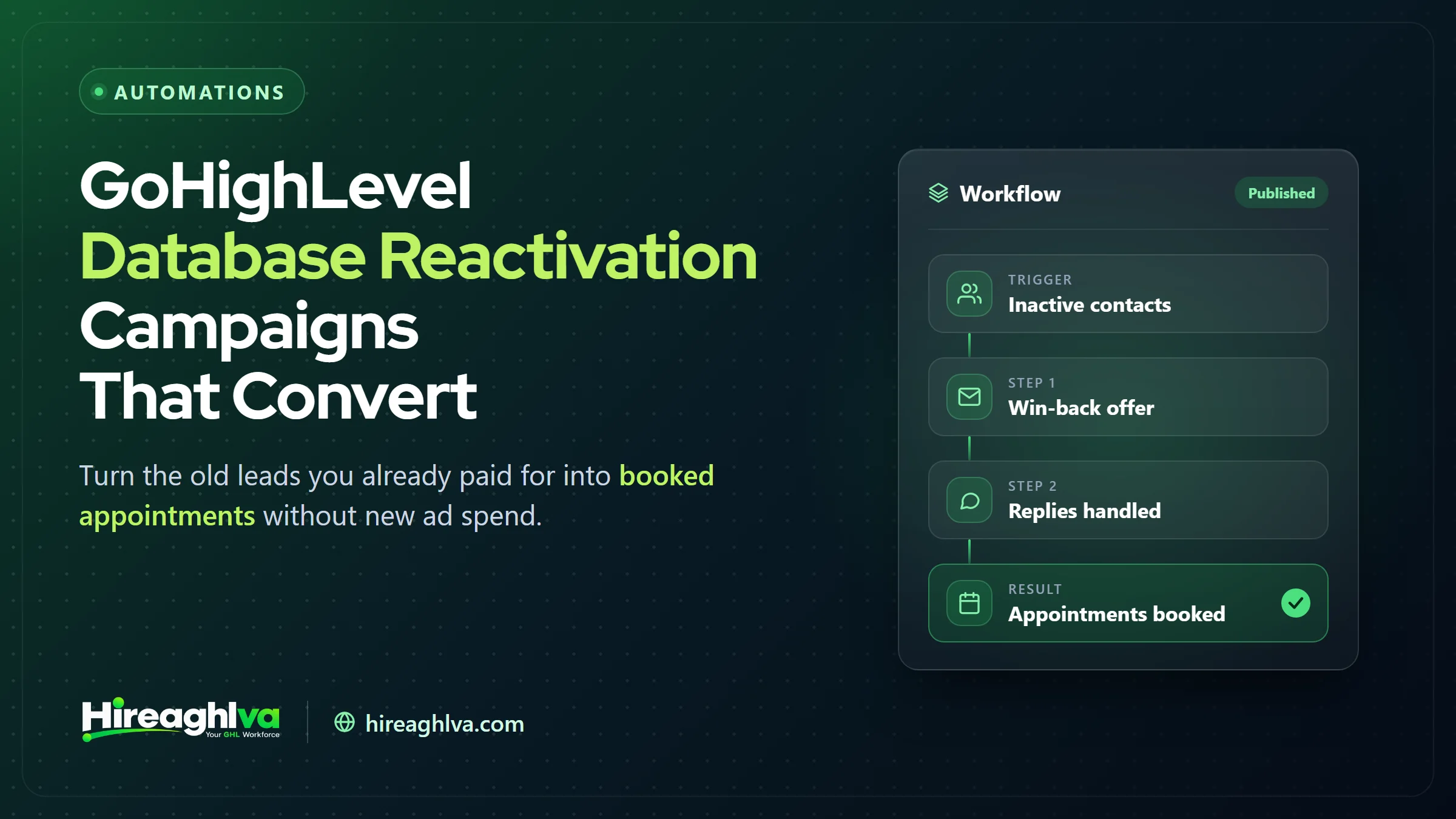
A GoHighLevel database reactivation campaign is a short, conversational SMS and email sequence sent to dormant contacts, designed to surface the small percentage who are actually ready to re-engage — without spending a dollar on new advertising to reach them. Every GoHighLevel account, sooner or later, accumulates a graveyard of old contacts — past customers who never came back, inquiries that went cold, quotes nobody followed up on, no-shows that fell off the radar — and reactivation is the automation built specifically to mine it. This guide covers how to build one that actually converts, not just one that technically sends.
7.4% / 11.9%
Reply rates in this guide's two worked examples (real estate inquiries, HVAC no-shows)
90+ days
Dormancy threshold used to build the reactivation segment
$0 ad spend
The list already exists — you're paying for outreach, not lead acquisition
What is a database reactivation campaign in GoHighLevel?
A database reactivation campaign is a targeted, short SMS-and-email sequence sent to a specific, filtered segment of dormant contacts in your GoHighLevel database — not a blast to every contact you’ve ever collected. The mechanics run inside a GoHighLevel Workflow: a trigger adds qualifying contacts to the campaign, an if/else split routes replies toward a booking calendar, and non-responders either get a follow-up touch or fall out of the sequence entirely after a defined number of attempts.
The core economic argument for reactivation: the acquisition cost for these contacts is already sunk. A past customer or old inquiry cost you real money to originally acquire — a reactivation campaign is close to the cheapest possible way to extract further revenue from that spend, since you’re not paying to reach them again the way you would a fresh audience.
Step 1: Clean and segment your list before anything else
The single biggest determinant of a reactivation campaign’s performance is list quality, not message copywriting — a well-written message to a poorly-segmented list underperforms a mediocre message to a well-segmented one nearly every time.
Dormancy window
- What to filter for
- Created or last-active more than 90 days ago (adjust based on your sales cycle)
No recent activity
- What to filter for
- No appointment, purchase, or meaningful interaction in the last 6+ months
Not already tagged active
- What to filter for
- Exclude anyone tagged as a current customer already in an active relationship
Not DND / opted out
- What to filter for
- Exclude anyone who has opted out of SMS or marked Do Not Disturb
| What to filter for | |
|---|---|
| Dormancy window | Created or last-active more than 90 days ago (adjust based on your sales cycle) |
| No recent activity | No appointment, purchase, or meaningful interaction in the last 6+ months |
| Not already tagged active | Exclude anyone tagged as a current customer already in an active relationship |
| Not DND / opted out | Exclude anyone who has opted out of SMS or marked Do Not Disturb |
Beyond the base filter, segment further by why the contact went cold — a past customer, an old inquiry that never converted, a no-show, and a stale quote are different situations that warrant different messaging. Common tagging conventions worth adopting: reactivation-past-customer, reactivation-old-inquiry, reactivation-no-show, and reactivation-stale-quote — each gets its own message variant rather than one generic script applied to everyone. (For a mortgage-specific look at recovering leads that went cold, see our guide to nurture automation for mortgage brokers.)
Step 2: Build the workflow
1
Campaign starts — segmented contacts enter the workflow
2
SMS sent — short, conversational, specific to the segment
3
Email follows — typically 1 day later, for contacts without a phone response
4
Reply routing — tagged, moved to pipeline, sequence stopped
The specific timing and channel order can vary, but the core shape stays consistent: lead with SMS (higher open and response rates than email for this kind of outreach), follow with email as a secondary touch, and build in an automatic stop condition the moment a contact replies — nothing frustrates a re-engaged contact faster than continuing to receive scripted follow-up messages after they’ve already responded.
Step 3: Response handling — where most campaigns actually fail
The workflow itself is the easy part; what happens the moment someone replies is where reactivation campaigns most often lose the value they just created. When a lead replies “yes” or asks a question, the workflow should immediately tag them as engaged, notify a real team member (via the GoHighLevel mobile app or a Slack/email alert), and stop the automated sequence entirely so a human takes over the conversation — not continue sending scripted follow-ups on top of a live human conversation.
A genuinely common and avoidable failure: a contact replies with real interest, and because the response-handling branch wasn’t built carefully, they receive the next scripted message in the sequence a day later anyway — instantly signaling “this was a bot” in a way that undoes the rapport the reply just built.
Step 4: Booking integration
Once a reply qualifies the lead, the fewer clicks between “I’m interested” and a confirmed appointment, the higher the eventual show-up rate. Send a direct GoHighLevel calendar link inside the text thread itself, or use an AI booking assistant to offer specific times conversationally within the conversation, rather than routing the contact to a separate landing page or asking them to call in — momentum built by an interested reply decays fast, and every added step is a chance for the contact to not follow through. The same principle drives speed-to-lead automation for brand-new inquiries.
What reply rate should a database reactivation campaign get?
A GoHighLevel database reactivation campaign should expect replies from a minority of the list — in this guide’s two worked examples, reply rates ranged from 4.6% (real estate seller inquiries) to 11.9% (HVAC no-shows) — with warmer segments replying more than very stale ones.
| Item | Value |
|---|---|
| HVAC — unresolved no-shows (14 of 118) | 11.9% |
| Real estate — buyer inquiries (19 of 210) | 9% |
| Real estate — both segments (25 of 340) | 7.4% |
| Real estate — seller inquiries (6 of 130) | 4.6% |
Recency is one of the biggest drivers of reply rate — a contact who was actively engaged with your business six months ago is a fundamentally warmer re-engagement than a lead who inquired once, eighteen months ago, and never responded again. This is the practical argument for running reactivation campaigns on a regular cadence rather than as a rare, one-time event: a database segmented and reactivated every quarter never accumulates the very-stale tail that responds worst and drags down the overall campaign average.
A worked example: a real estate brokerage’s dormant lead list
Take a brokerage with 800 contacts who inquired about a listing over the past two years but never became active buyers or sellers — a classic dormant database sitting unused in the CRM. (If you’re setting up a brokerage account from scratch, our breakdown of GoHighLevel snapshots for real estate teams covers the pipelines this kind of campaign plugs into.)
Segmentation: Filtered to 340 contacts inactive 90+ days, excluding anyone currently under contract or tagged as an active client. Split further by original inquiry type: buyer inquiries (210) vs. seller inquiries (130).
Messaging: Buyer segment received “Hey [Name], it’s been a while since we connected about [Area] listings — still in the market, or has your search wrapped up?” Seller segment received a variant asking about current home value and market timing instead.
Results over 14 days: 19 replies from the buyer segment (9%), 6 replies from the seller segment (4.6%) — the buyer segment’s higher reply rate tracking with real estate’s generally more active buyer-side search behavior. Of the 25 total replies, 11 converted into a scheduled call or showing within the campaign window.
The economics: 11 real conversations from a list that cost nothing additional to reach, generated by a campaign that took a few hours to build and run — a return that would be difficult to match with equivalent ad spend targeting cold, unknown prospects instead of an already-warm (if dormant) list.
Segmentation deep dive: which old leads to prioritize
Not every dormant segment deserves equal campaign priority. Past customers with a positive prior relationship generally outperform old inquiries who never converted the first time, since there’s an existing trust relationship to reactivate rather than a cold first impression to overcome. No-shows are a distinct, often-overlooked segment worth its own campaign — someone who booked but didn’t show frequently had a scheduling conflict, not a lack of interest, and a simple “still interested in rescheduling?” message often outperforms a more generic reactivation script for this specific group. Stale quotes — contacts who received pricing but never moved forward — respond well to messaging that acknowledges time has passed and offers to requote rather than assuming the original number still stands.
Past customers, recently dormant
- Priority
- Highest
- Why
- Existing trust, easiest re-engagement
No-shows
- Priority
- High
- Why
- Often a scheduling issue, not lost interest
Stale quotes
- Priority
- Medium
- Why
- Needs a requote angle, not just a check-in
Old inquiries, never converted
- Priority
- Lowest
- Why
- Still worth running, just at lower priority
| Priority | Why | |
|---|---|---|
| Past customers, recently dormant | Highest | Existing trust, easiest re-engagement |
| No-shows | High | Often a scheduling issue, not lost interest |
| Stale quotes | Medium | Needs a requote angle, not just a check-in |
| Old inquiries, never converted | Lowest | Still worth running, just at lower priority |
The compliance line: reactivation vs. cold outreach
This is the part most reactivation content skips, and it matters more than most of the tactical setup above. Texting a dormant contact is meaningfully different from texting someone who never had a relationship with your business, but it’s not automatically exempt from SMS compliance requirements just because the contact is in your CRM already.
If the contact originally opted in to SMS communication (as part of intake, a signed agreement, or an explicit opt-in flow) and hasn’t opted out since, a reactivation campaign generally falls within that original consent — but “generally” is doing real work in that sentence. If there’s genuine doubt about how or whether original consent was captured, or the relationship is old enough that the original opt-in context is unclear, the safer path is a single, low-pressure message confirming continued interest in hearing from you before running a full multi-touch campaign. Our complete A2P 10DLC guide for GoHighLevel users covers the registration and consent requirements behind business texting in more depth.
This isn’t just a legal formality — a reactivation campaign sent to a poorly-consented list also tends to underperform on pure response metrics, since contacts who don’t remember opting in are more likely to report the message as spam than reply with genuine interest, which can affect your number’s deliverability reputation beyond just that one campaign — the kind of problem covered in our guide to GoHighLevel SMS carrier filtering.
Reactivation cost vs. new lead generation cost
The reason reactivation campaigns get disproportionate attention relative to their complexity is the cost comparison against acquiring an equivalent number of fresh leads through paid advertising:
Reactivation
Cost is essentially the time to segment, write, and build the workflow — no media spend
New lead gen
Cost includes ad spend, plus the same setup/follow-up work on top
This isn’t an argument that reactivation should replace new lead generation entirely — a healthy business needs both. It’s specifically an argument for running reactivation first, or at minimum alongside, any new campaign, since the dormant database represents revenue that’s already been paid for once and is otherwise sitting completely unused.
AI-assisted reactivation: where it genuinely helps
A growing pattern is layering AI into the reactivation sequence — not to replace the human handoff covered above, but to handle the qualifying conversation before a human needs to get involved. An AI-assisted setup can hold a short, natural back-and-forth with a replying contact (confirming continued interest, asking a qualifying question, offering to book directly) before looping in a team member only once the contact is genuinely ready to move forward. This matters most for high-volume reactivation campaigns — a list of several thousand dormant contacts can produce enough simultaneous replies that a purely human-handled response process becomes a bottleneck, delaying responses to interested contacts exactly when momentum matters most. For smaller lists producing a manageable reply volume, a human handling every reply directly works fine without adding AI to the mix at all — it’s a scale-driven decision, not a default upgrade every campaign needs.
A second worked example: a home services company’s no-show list
Contrasting industries clarifies which segments matter most where. Take a residential HVAC company with 140 no-show appointments accumulated over the past year — customers who booked a service call but never showed up or canceled, and were never followed up with beyond the initial no-show.
Segmentation: All 140 filtered to exclude anyone who later became an active customer through a different channel, leaving 118 genuine unresolved no-shows.
Messaging: “Hey [Name], we had you down for a [Service] visit a while back that didn’t happen — still need this taken care of? Happy to get you back on the schedule.” Deliberately non-accusatory, framed as a helpful reschedule offer rather than a follow-up on a missed obligation.
Results: 14 replies (11.9% — higher than either real estate inquiry segment above, consistent with no-shows being a warmer segment since interest was already confirmed by the original booking), with 9 converting to a rescheduled and completed appointment.
Why this segment outperforms: No-shows already demonstrated real intent by booking in the first place — the barrier was typically a scheduling conflict or a simple lapse, not a lack of interest, which is exactly why this segment consistently produces stronger reactivation numbers than cold, never-converted inquiries.
Results from the two worked examples above
| Worked example segment | Contacts targeted | Replies | Reply rate | Converted |
|---|---|---|---|---|
| Real estate — buyer inquiries | 210 | 19 | 9% | — |
| Real estate — seller inquiries | 130 | 6 | 4.6% | — |
| Real estate — both segments combined | 340 | 25 | ~7.4% | 11 scheduled calls or showings |
| HVAC — unresolved no-shows | 118 | 14 | 11.9% | 9 rescheduled and completed appointments |
Getting this built without doing it yourself
Everything covered above is genuinely buildable inside GoHighLevel without custom development, but a properly segmented, correctly-branched reactivation workflow with tested response handling is real setup work — segmentation logic, multiple message variants by dormancy type, a reply-triggered stop condition, and booking integration all need to be built and verified before a campaign should actually go out to a real list. A GoHighLevel VA can typically handle the full build, including the segmentation work that determines most of the campaign’s eventual performance, in less time than most business owners would spend learning the workflow builder well enough to do it themselves correctly on a first attempt. You can hire a dedicated GoHighLevel VA hourly from $20/hr, or part-time at $600/month for ongoing campaign management.
Common mistakes that quietly tank reactivation campaigns
Blasting the entire database with one generic message. Skipping segmentation and sending identical copy to a recent past customer and an 18-month-old cold inquiry wastes the recency advantage the warmer segment actually has.
No stop condition on reply. Continuing to send the next scripted message after someone has already responded is one of the fastest ways to signal “automated system” and lose the rapport a genuine reply just built.
Treating a non-reply as a dead end. A contact who doesn’t respond to the first attempt isn’t necessarily unreachable — a second, differently-worded touch weeks later (not immediately, which reads as pushy) sometimes reaches contacts the first message missed entirely due to timing.
Running it once and never again. A database reactivated once and then left dormant again simply regenerates the same stale-list problem within a year. Treat this as a recurring quarterly or semi-annual process, not a one-time project.
Ignoring compliance on old or poorly-documented lists. As covered above, this isn’t just a risk-avoidance issue — it directly affects response quality and sender reputation, not just legal exposure.
Reactivation for agencies managing multiple client databases
Agencies running this across several client accounts should treat the workflow structure — segmentation logic, messaging by dormancy segment, response-handling branch, booking integration — as a reusable template, built once and adapted per client rather than rebuilt from scratch each time. This is exactly the kind of automation worth including in a niche-specific snapshot, since the underlying structure transfers cleanly across clients in the same industry even though the specific messaging needs light customization per account. Track reply rate and conversion per client separately rather than in aggregate — list quality and dormancy patterns vary enough between client databases that an aggregate number can mask a client whose campaign is genuinely underperforming and needs list-quality attention.
How often should you run a database reactivation campaign?
Run a database reactivation campaign quarterly, as a recurring process rather than a one-off project, so dormant contacts never drift into the lowest-response very-stale tail. A quarterly cadence keeps the dormant segment fresher and generally produces better reply rates over time, since you’re not letting contacts drift into the lowest-response very-stale tail before ever attempting to reactivate them. A practical cadence: run a full segmented campaign quarterly, with the dormancy threshold rolling forward each time (contacts newly crossing 90 days inactive get added to the next run), so the list stays continuously refreshed rather than requiring a full re-audit each time.
Measuring ROI properly
Reply rate
Percentage of the targeted segment that responds at all — your primary health metric
Booking/close rate
Of those replies, how many convert to a real appointment or sale
Track these by segment, not just in aggregate, since a campaign that looks mediocre overall might be strongly outperforming in one segment (recent past customers) while badly underperforming in another (old, never-converted inquiries) — aggregate numbers hide that distinction and can lead to the wrong conclusion about whether the campaign structure itself needs adjustment. A custom GoHighLevel dashboard that breaks reply and booking rate out by reactivation tag makes that per-segment view available at a glance.
Writing messages that don’t read as generic reactivation spam
Copy quality matters more in reactivation than in most other automated messaging, precisely because the contact already has some memory (however faint) of your business — a message that feels obviously templated undermines the existing relationship rather than reviving it. A few principles that consistently outperform generic copy: reference something specific about the original relationship (the service they inquired about, roughly when you last spoke) rather than a fully generic “checking in,” keep the message genuinely short — a paragraph-length reactivation text reads as a mass campaign, while a one- or two-sentence message reads as a real person reaching out, and ask a real, answerable question rather than making a broad statement, since a question is what actually prompts a reply.
A useful test before sending any reactivation message at scale: would this read naturally as a text from an actual team member who remembered this specific contact, or does it read as a mail-merge? If it’s the latter, the message needs another editing pass before it goes out to the full segment.
Frequently asked reactivation questions
“Should reactivation messages come from a different number than our main business line?” Not necessarily — using your existing main line keeps the conversation consistent if the contact recognizes the number, though some businesses running very large reactivation campaigns use a dedicated number specifically to keep reactivation traffic separate for reporting purposes, which is a reporting convenience rather than a requirement.
“What if a contact replies negatively or asks to be removed?” Honor it immediately and unambiguously — tag the contact DND or opted-out and exclude them from all future reactivation attempts. A negative reply handled poorly (continuing to message after an opt-out request) is both a compliance problem and a fast way to damage sender reputation for future campaigns.
“Can reactivation campaigns work for a business with only a few hundred contacts, or does it need a large database?” Yes — the percentage-based reply rate applies regardless of list size, and a smaller list simply produces proportionally fewer total replies, not a fundamentally different outcome. A business with 300 dormant contacts running a well-segmented campaign should expect roughly the same reply rate as a business with 3,000, just fewer absolute conversations.
“Is there a risk of annoying past customers who genuinely don’t want to be contacted again?” Some risk, yes, which is exactly why the compliance and consent considerations above matter, and why a single well-crafted message with an easy, honored opt-out beats an aggressive multi-touch sequence for genuinely cold or uncertain segments. The goal is surfacing the percentage who are interested, not maximizing total messages sent regardless of reception.
Bringing it together
A database reactivation campaign is genuinely one of the highest-ROI automations available in GoHighLevel specifically because the acquisition cost is already sunk — you’re mining value from a list you already paid to build, not spending new money to reach a brand-new audience from a cold start. The mechanics (segment, build the workflow, handle replies correctly, integrate booking) are genuinely straightforward, but the results live or die on segmentation quality and response handling far more than on message polish.
If you take one thing from this guide, make it this: run it as a recurring process, not a one-time campaign, and always segment by dormancy recency and relationship type before writing a single message. A database reactivated quarterly with properly segmented, relationship-aware messaging consistently outperforms a single all-at-once blast to an entire undifferentiated contact list — the difference isn’t the automation itself, it’s the setup work most businesses skip before turning it on.
The businesses that get the most out of this treat their existing contact database as a genuine, ongoing revenue channel rather than a static archive to occasionally mine when new-business pipeline runs dry — and the compounding value of a quarterly cadence, built once and reused, is consistently underestimated relative to how little ongoing effort it actually takes to maintain once the initial workflow is correctly built.
Written by the Hireaghlva GoHighLevel team
We build and run GoHighLevel accounts, automations, dashboards, and websites for agencies and local businesses across the US and Canada. This guide reflects that hands-on work, with sources cited inline where we reference outside data. Last reviewed September 13, 2026.